USB Block Group Policy (GPO)
This project shows how I created a Group Policy Object (GPO) to block USB storage devices on domain-joined systems. USB storage is one of the most common ways malware enters a network and also poses a significant risk of data loss and theft.
Why This Matters
USB devices are a major entry point for malware and a common method for unauthorized data transfer. Blocking USB storage helps protect sensitive data and reduces attack vectors inside a Windows domain environment.
GPO Configuration Steps
1. Open Group Policy Management (Computer Configuration Path)
I used the Computer Configuration path because blocking USB storage must apply to the machine itself not just the user. This ensures consistent enforcement across all user accounts.
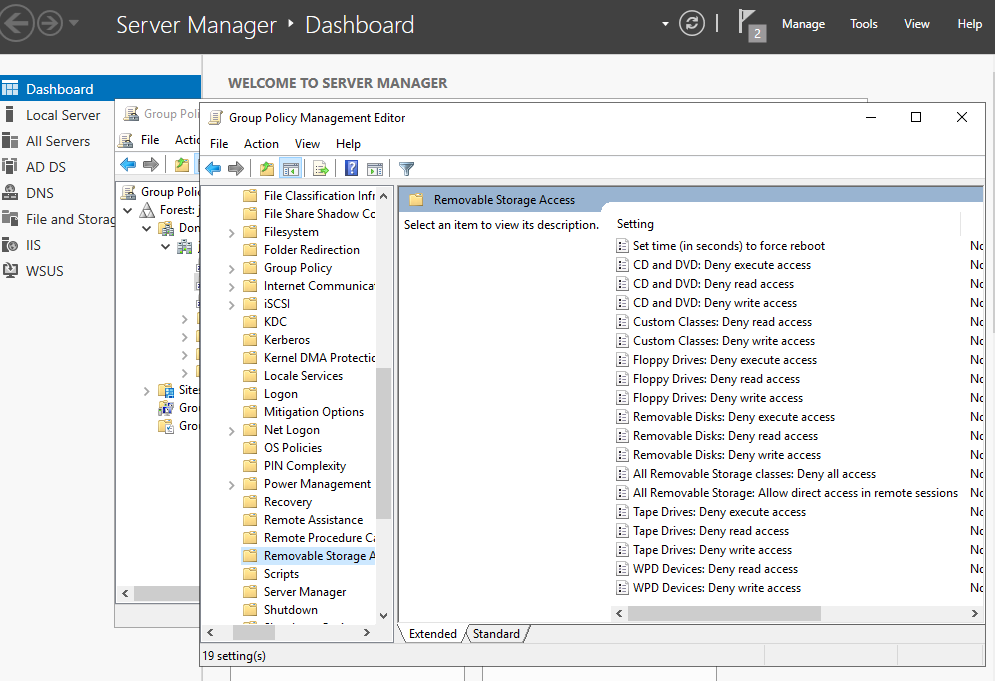
2. Enabling the USB Block Settings
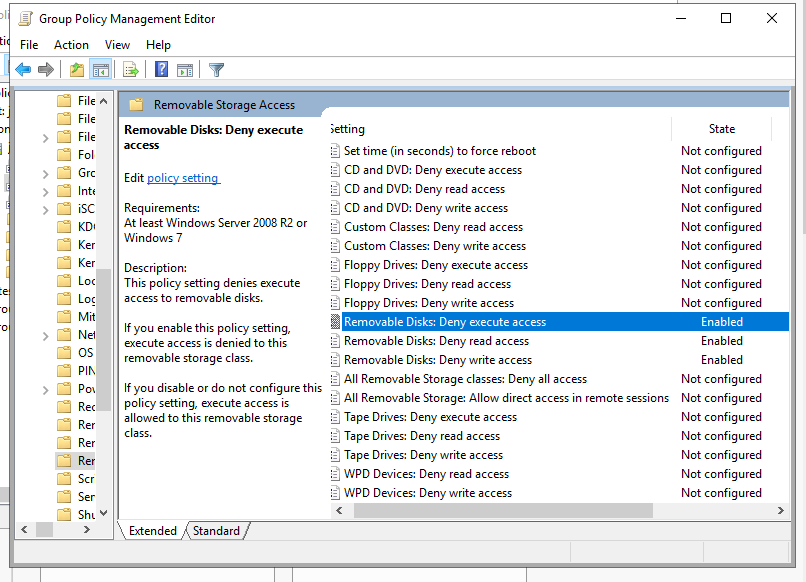
I enabled the following Removable Storage Access restrictions:
- Removable Disks: Deny read access
- Removable Disks: Deny write access
- Removable Disks: Deny execute access
These block USB flash drives, external storage, and other removable devices from being used.
3. Verifying the Policy Was Applied
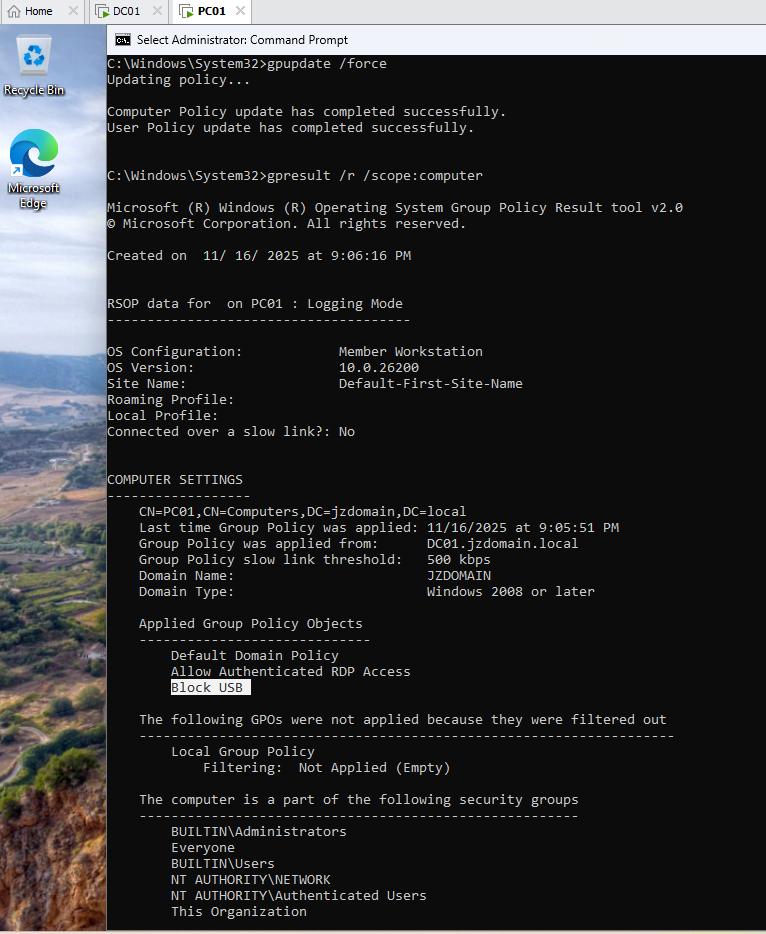
On the client system, I forced a policy update:
gpupdate /force
Then I verified the GPO was applied successfully using:
gpresult /r
Summary
This GPO protects the domain environment by blocking unauthorized USB storage usage. It reduces malware risk and prevents users from copying data onto external devices.